
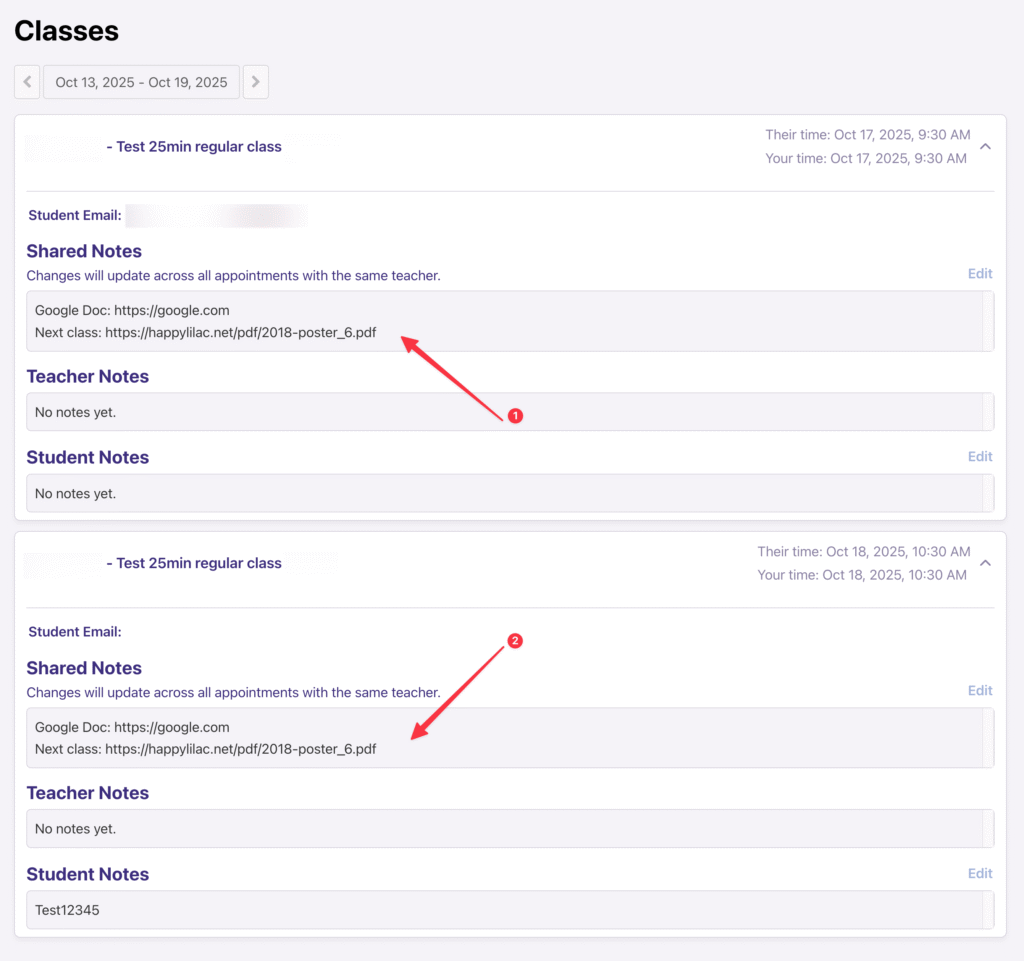
Ever need to reference the same Google Doc or online resource across multiple sessions? Now you can! Our new Shared Class Notes feature makes sure your most important links and reminders are always at your fingertips.
What are Shared Class Notes?
This new section is designed for links, reminders, and resources that you use consistently across multiple classes. Once you add a note, it will automatically appear in every class with the same student/teacher pair listed in the system.
FAQ
Who can edit the shared notes?
Both the student and the teacher can edit the shared notes.
I take classes with more than one teacher, what happens here?
The notes are unique to each student/teacher pair.
For example:
Student A takes classes from Teacher 1 and Teacher 2.
Student A and Teacher 1 can have shared notes and Teacher 2 will not see it.